
Plan life
without the chaos.
Tasks, notes, and your calendar — together in one calm app. Organize later, or never.
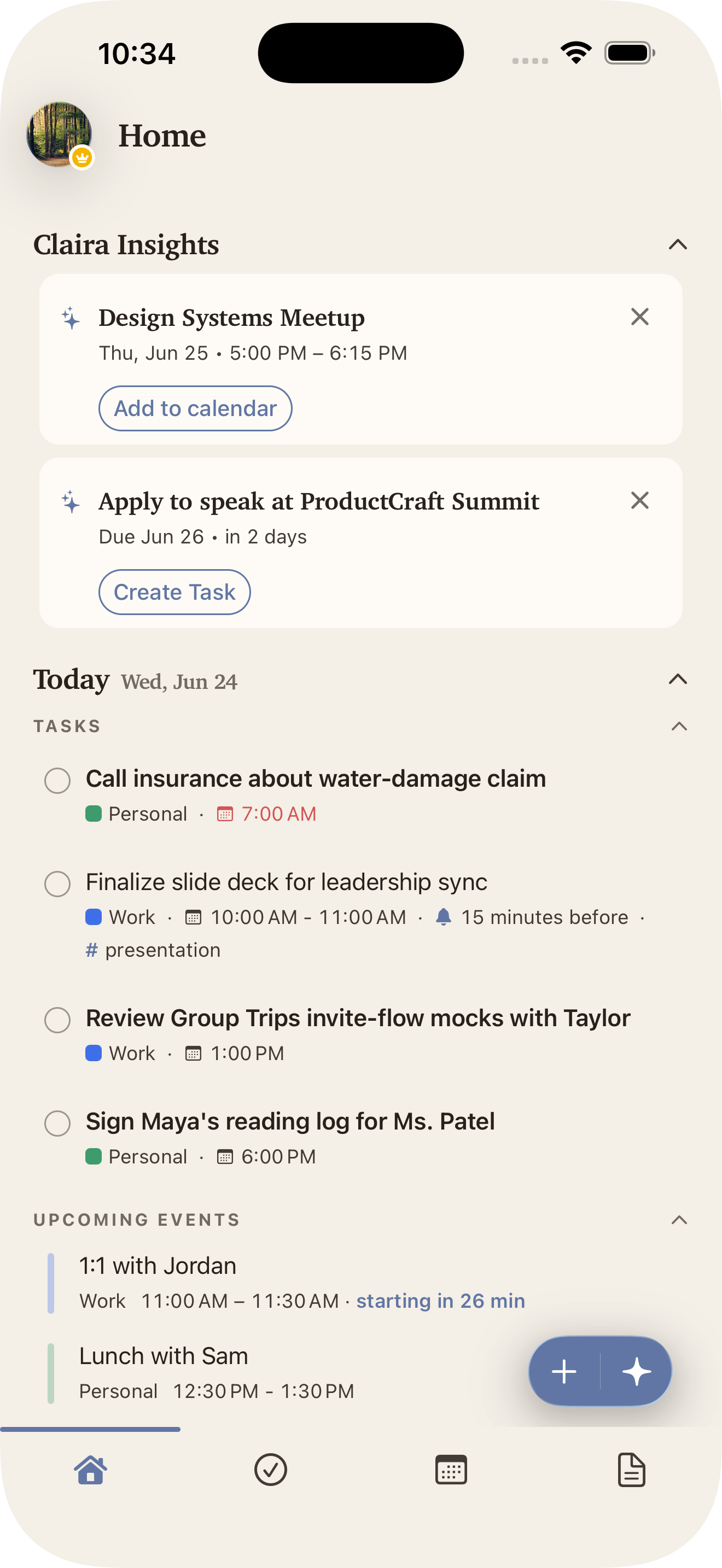
Your brain isn't split across apps.
Why is your life?
The grocery list with your partner. The school form buried in your inbox. The appointment next Thursday. The packing list for the trip.
Your life is scattered across apps that don't talk to each other. Claira is one calm place for all of it.
The assistant
who knows your world.
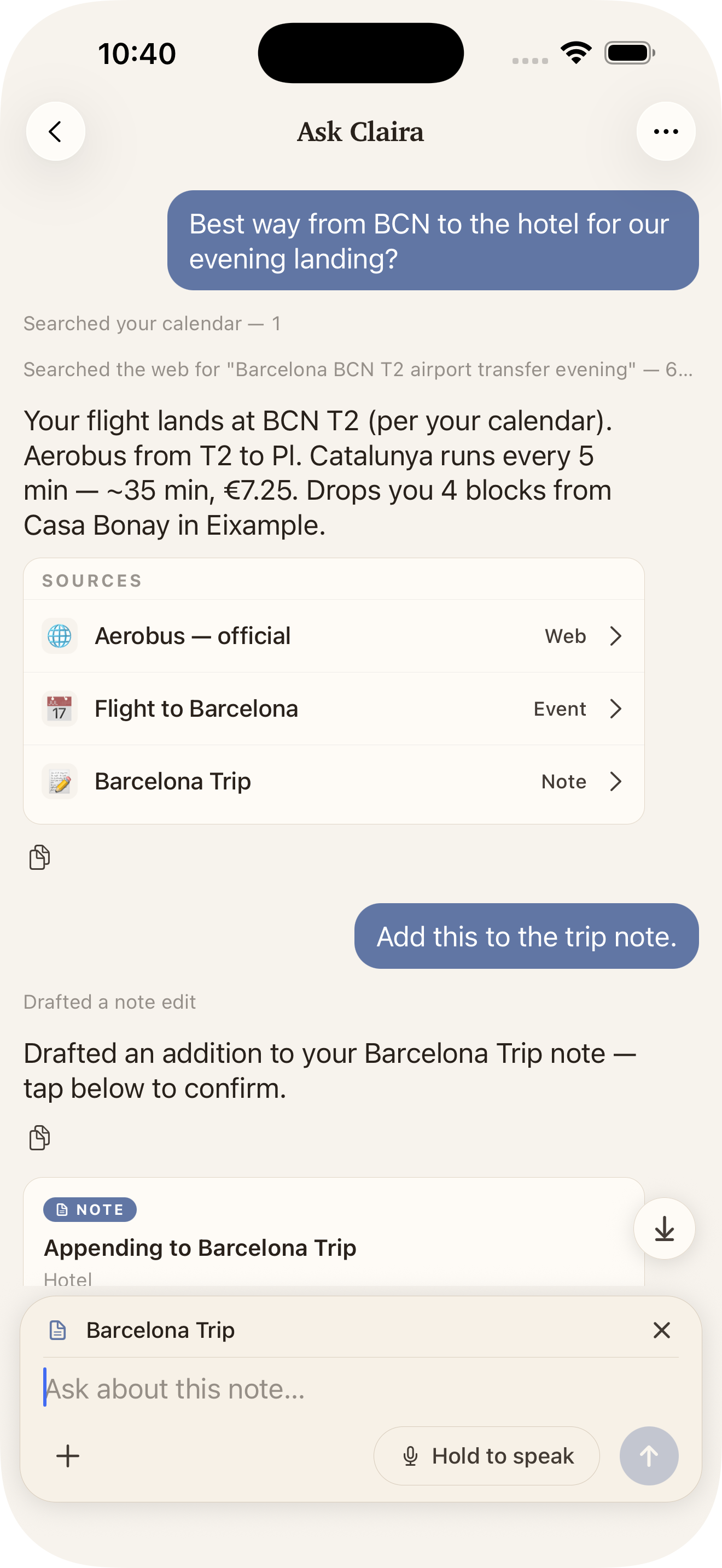
"Best way from airport to the hotel?" Claira checks your calendar, searches the web, and answers — with the sources right there to tap.
"Add this to the trip note." It drafts the edit and waits for your okay. Nothing changes until you say so.
One question, a real answer, filed where it belongs — one more thing done.
Forward an email.
Claira does the rest.
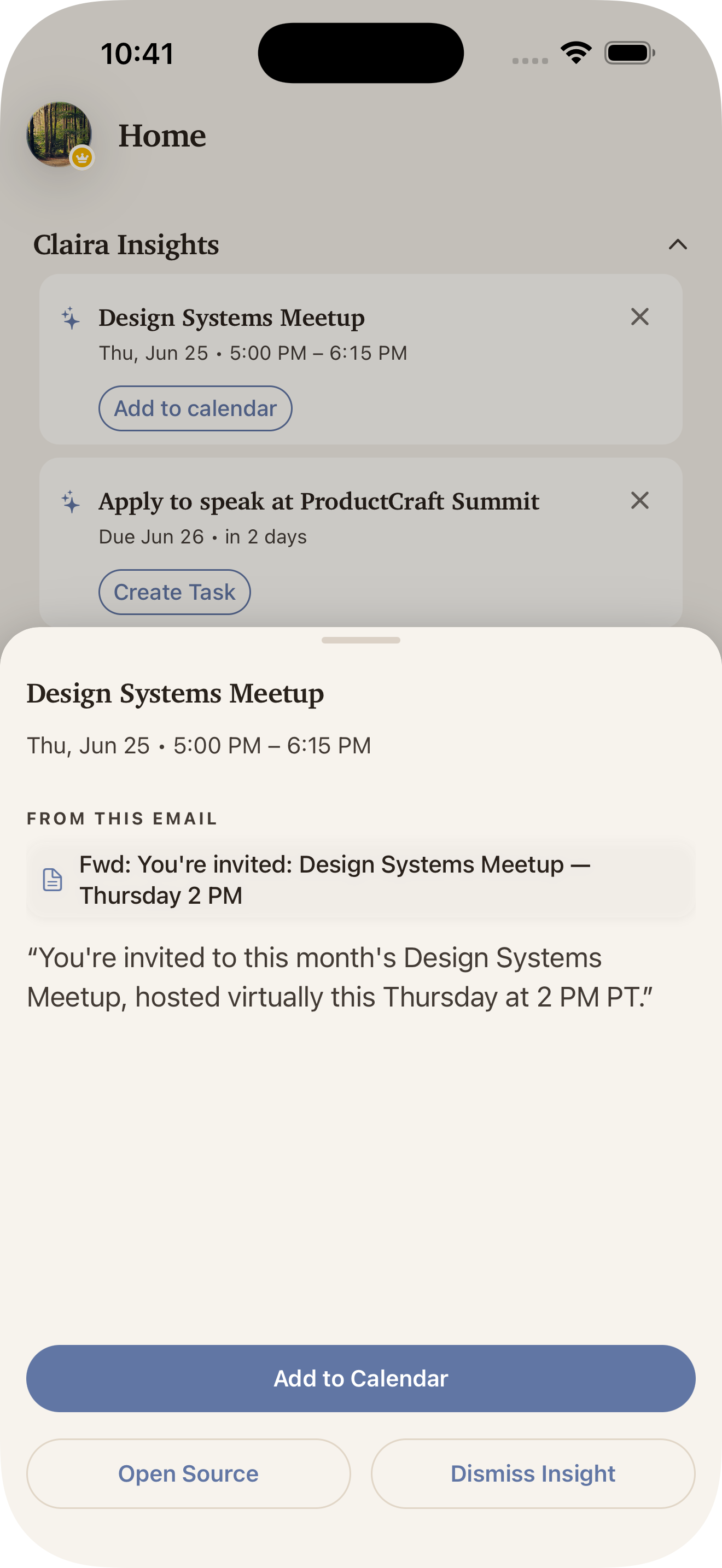
You get a personal Claira email address. CC or forward any message to it — The meeting buried on page two, the deadline tucked in paragraph four — all arrive as action cards you can accept with one tap.
jane.1qn@in.claira.sortedchaos.ai— your private drop-boxOne app.
Many ways to clear your head.
Your command center,
Close at hand.
See what Claira surfaced, capture a passing thought, or call in the assistant — all without leaving home.
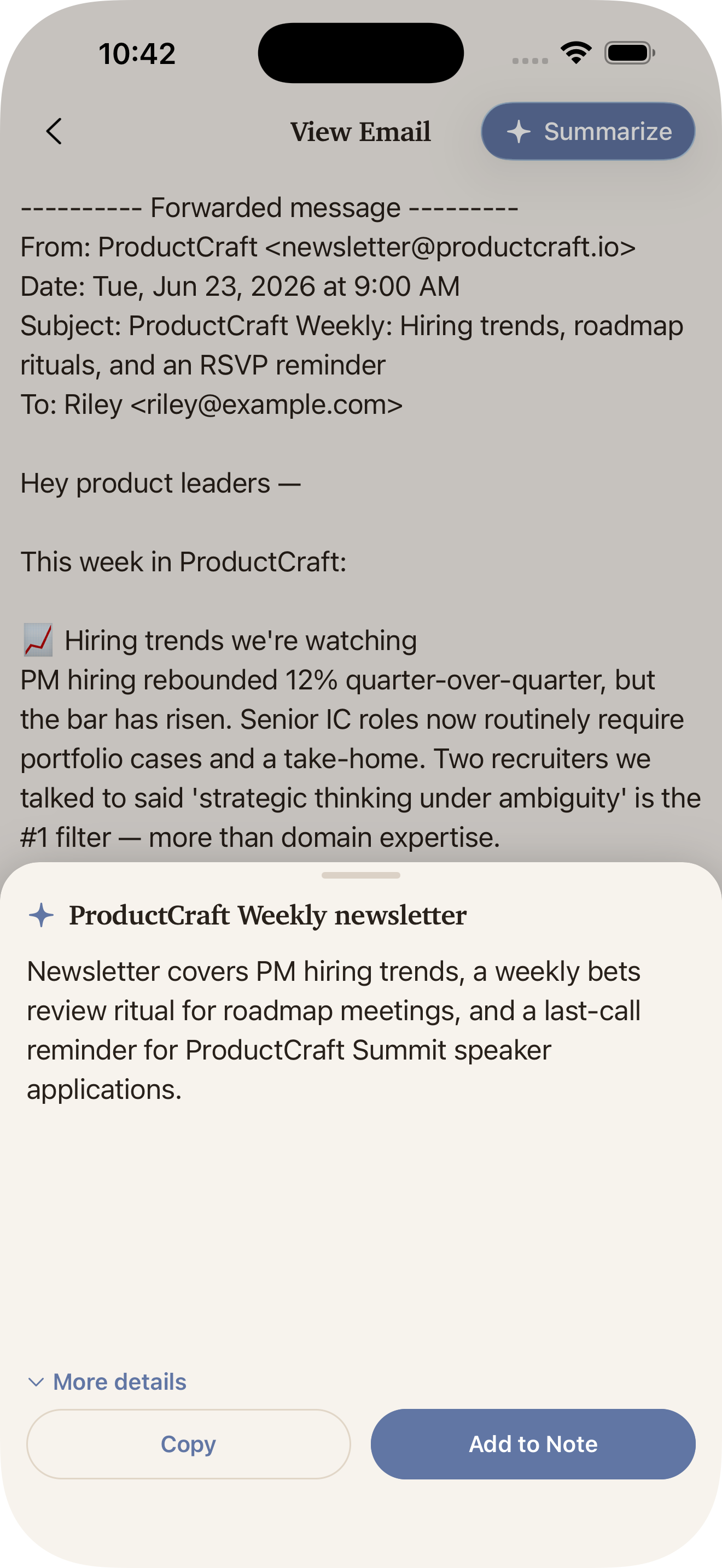
The gist.
In one tap.
Long newsletter, long PDF, long anything — Claira gives you the short version.
Scattered in.
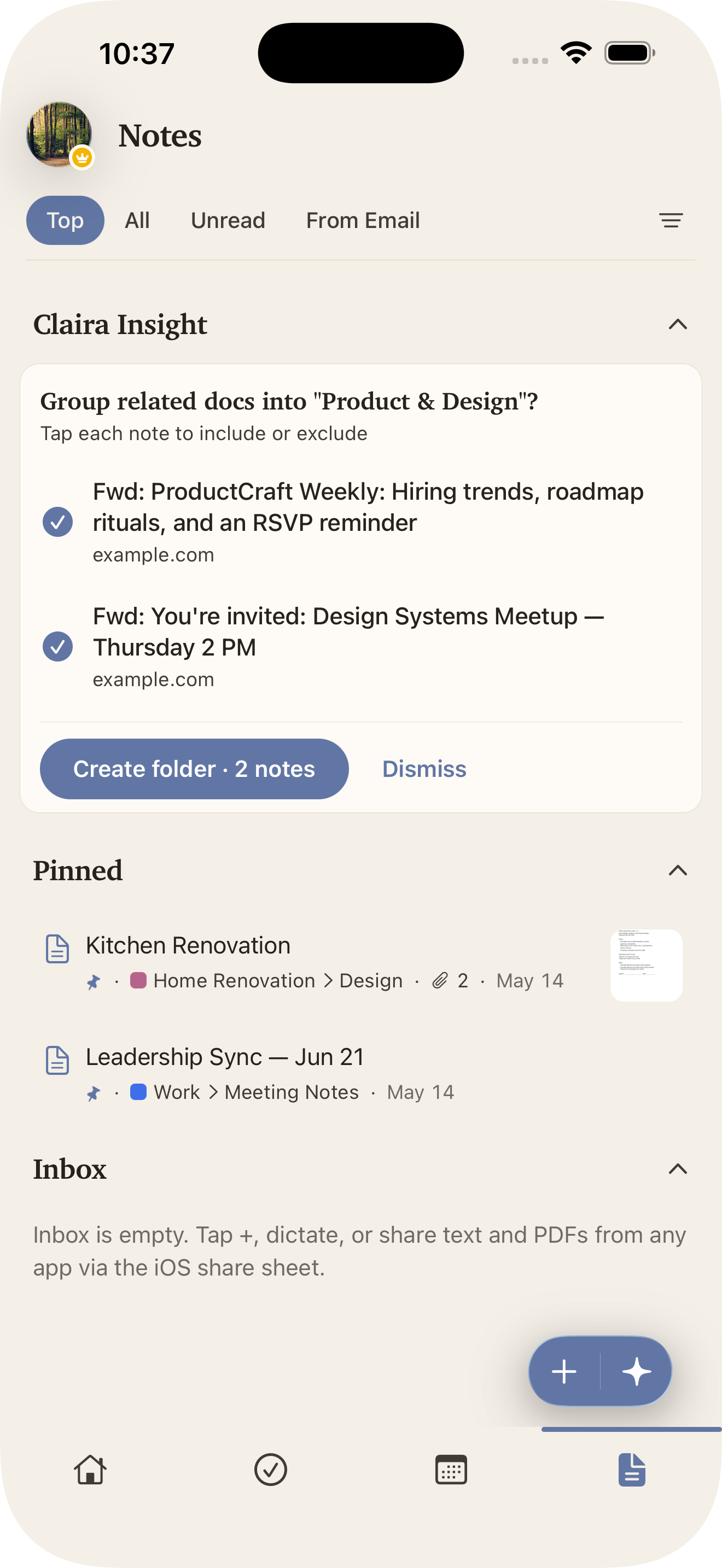
Sorted out.
Related notes find each other in the background and land in the same folder.
Offload your mind.
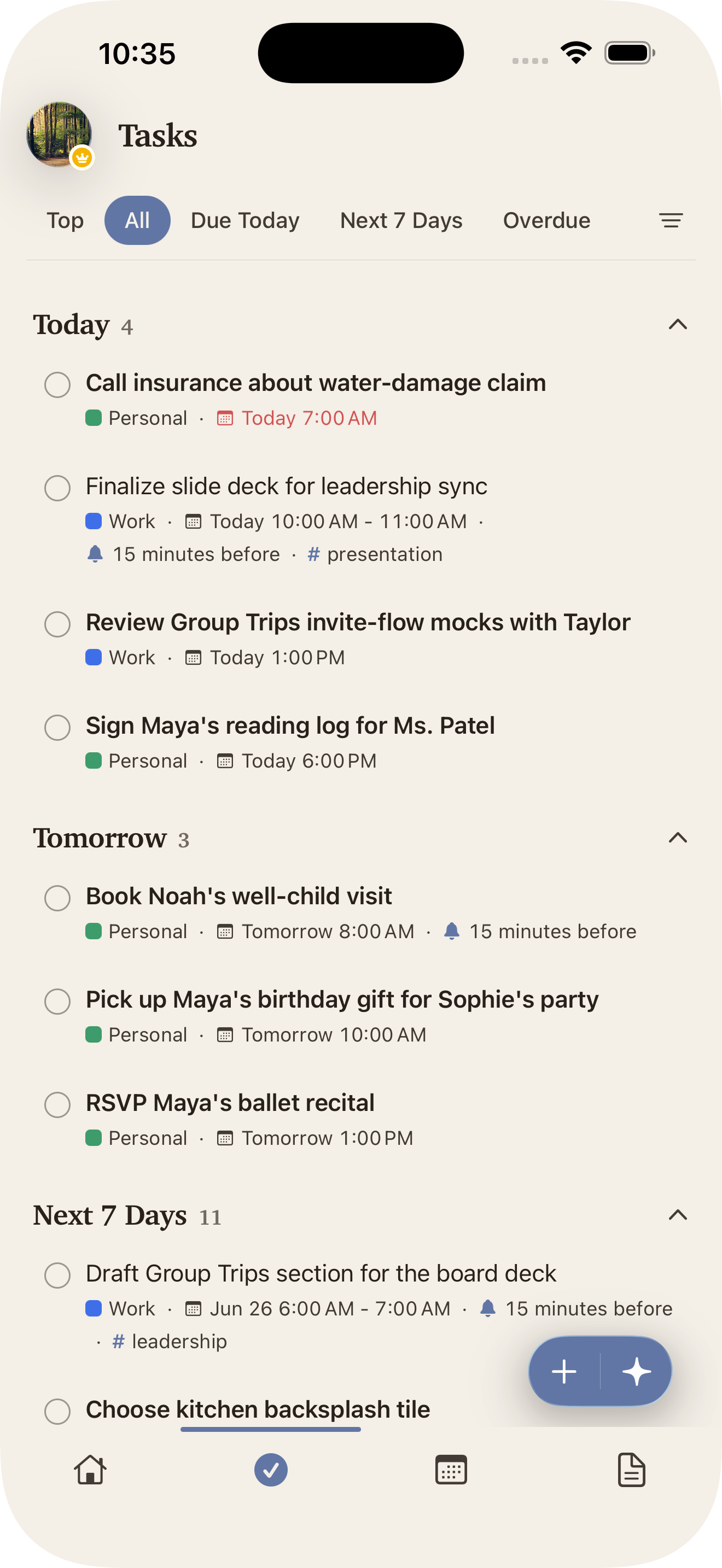
Claira fills the gaps.
Share a link, snap a picture of a flyer, jot a thought — Claira surfaces the tasks and events you’d otherwise miss.
A calendar that
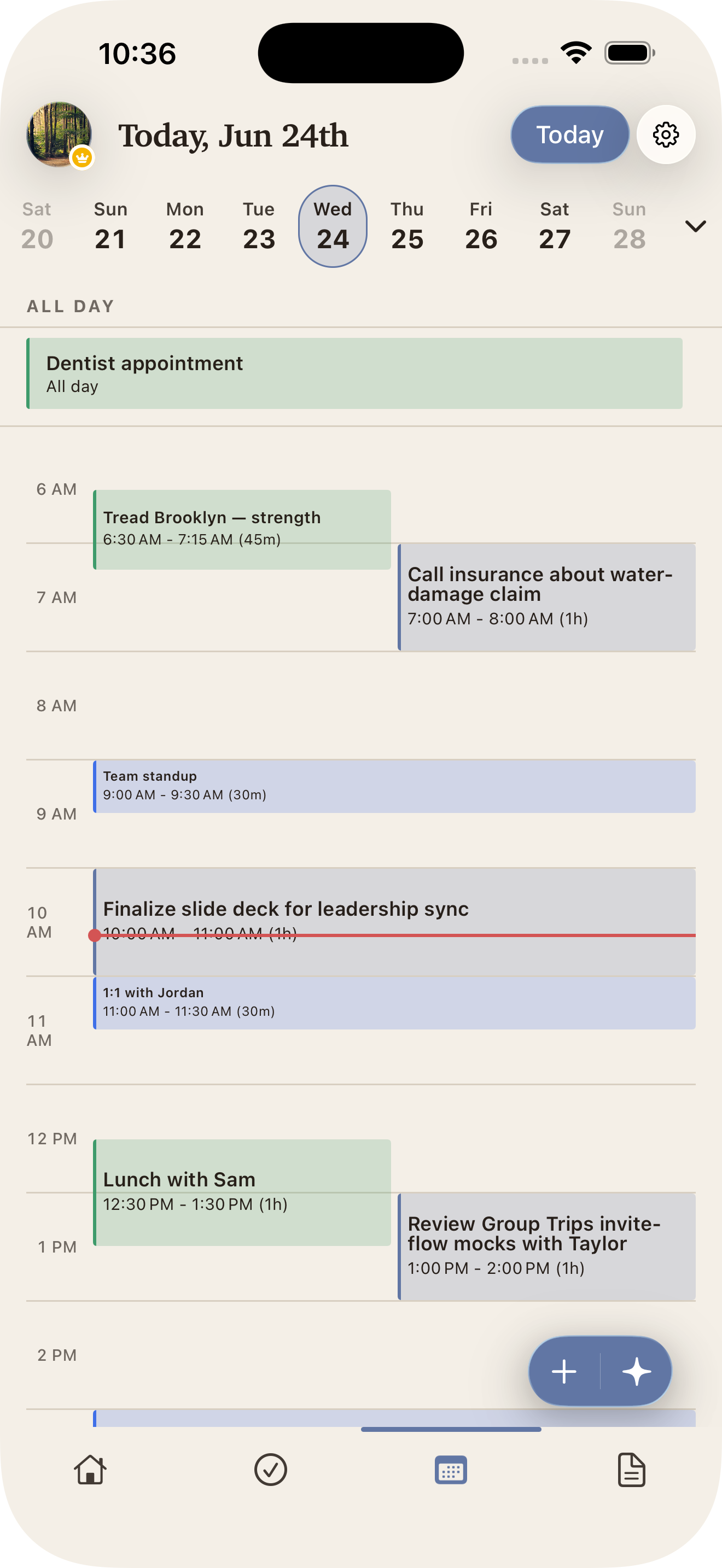
knows your to-dos.
Events and tasks on the same timeline — the way your day actually works.
A note that
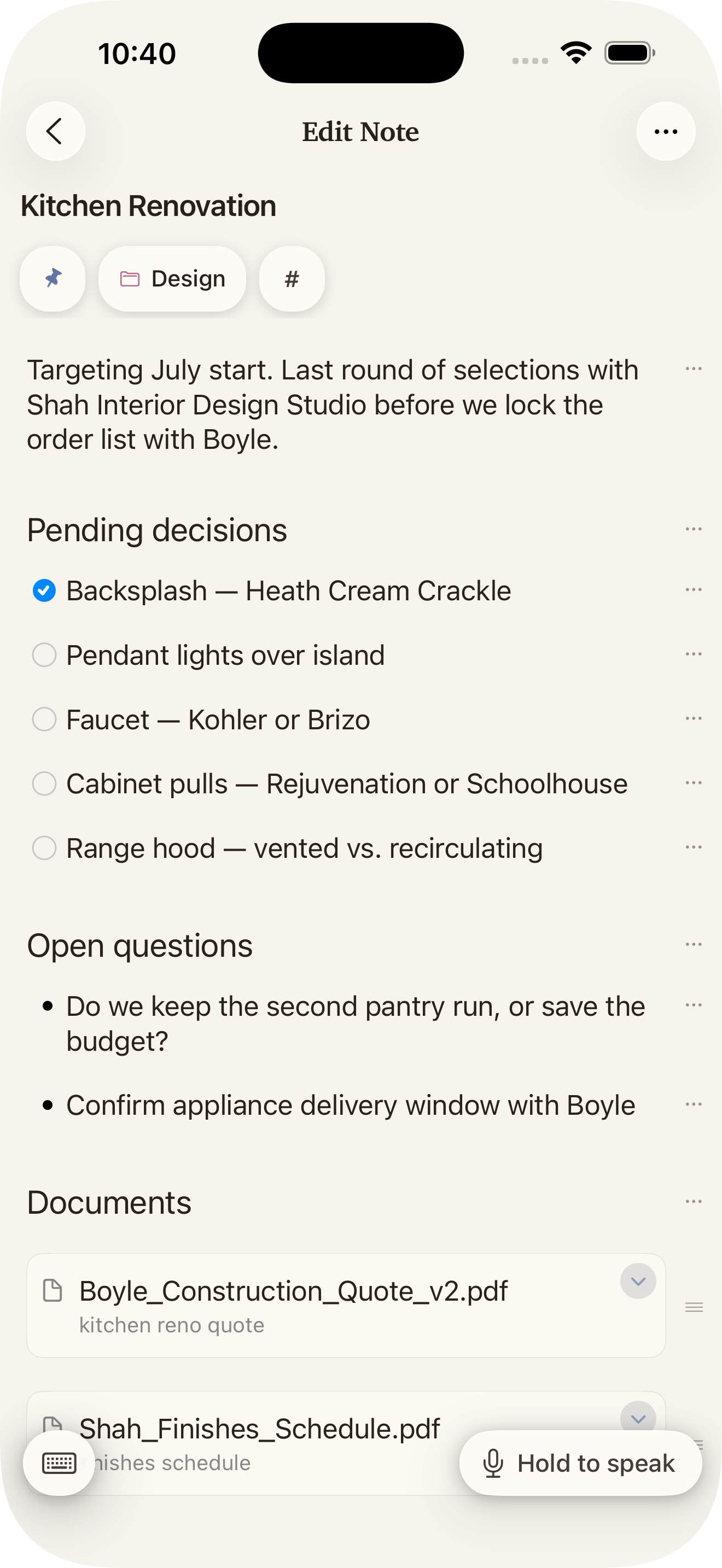
grows with the thought.
Write the context, check off the tasks, drop in a PDF — one note holds it all.
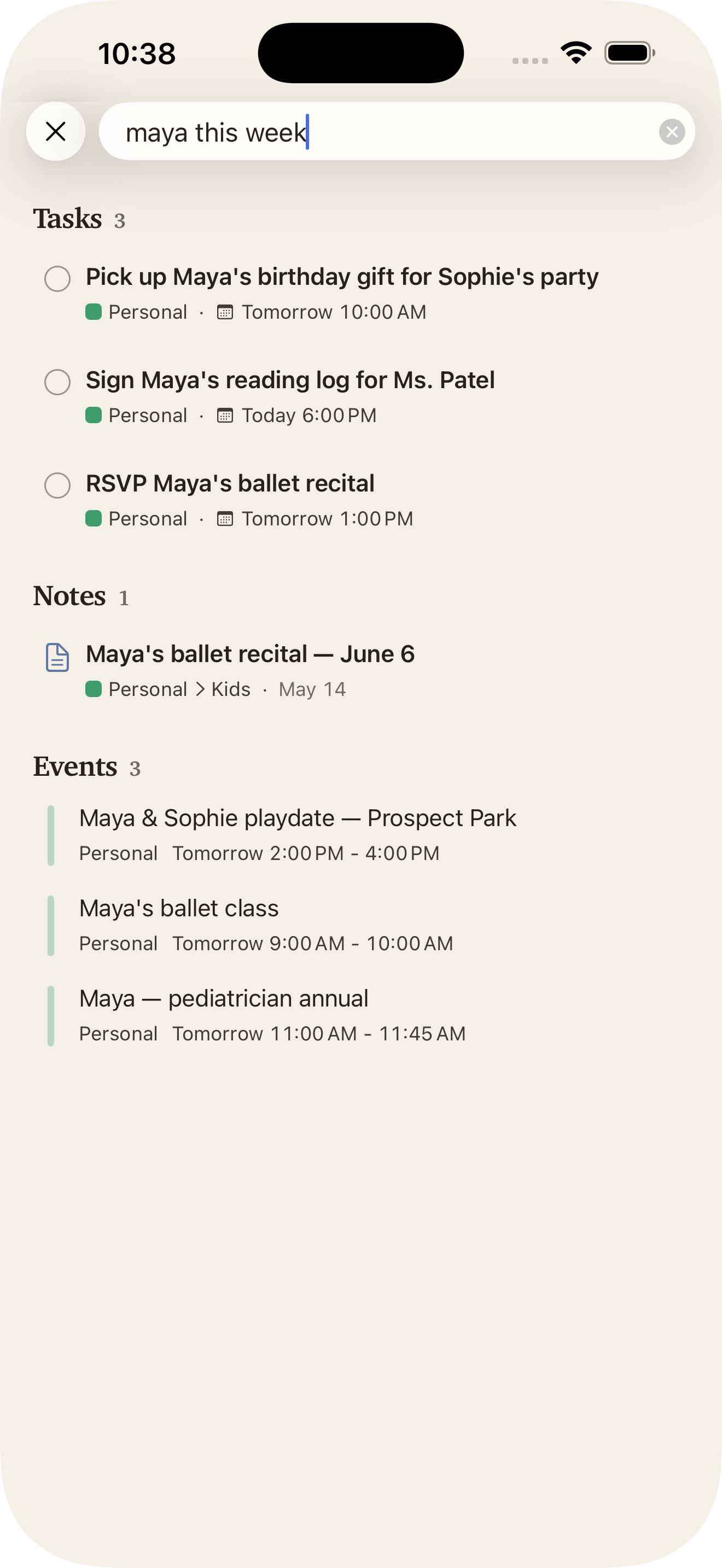
Search anything.
Or ‘this week.’
Tasks, notes, and events in one search. “Today,” “this week,” “past due” — Claira knows what you mean.
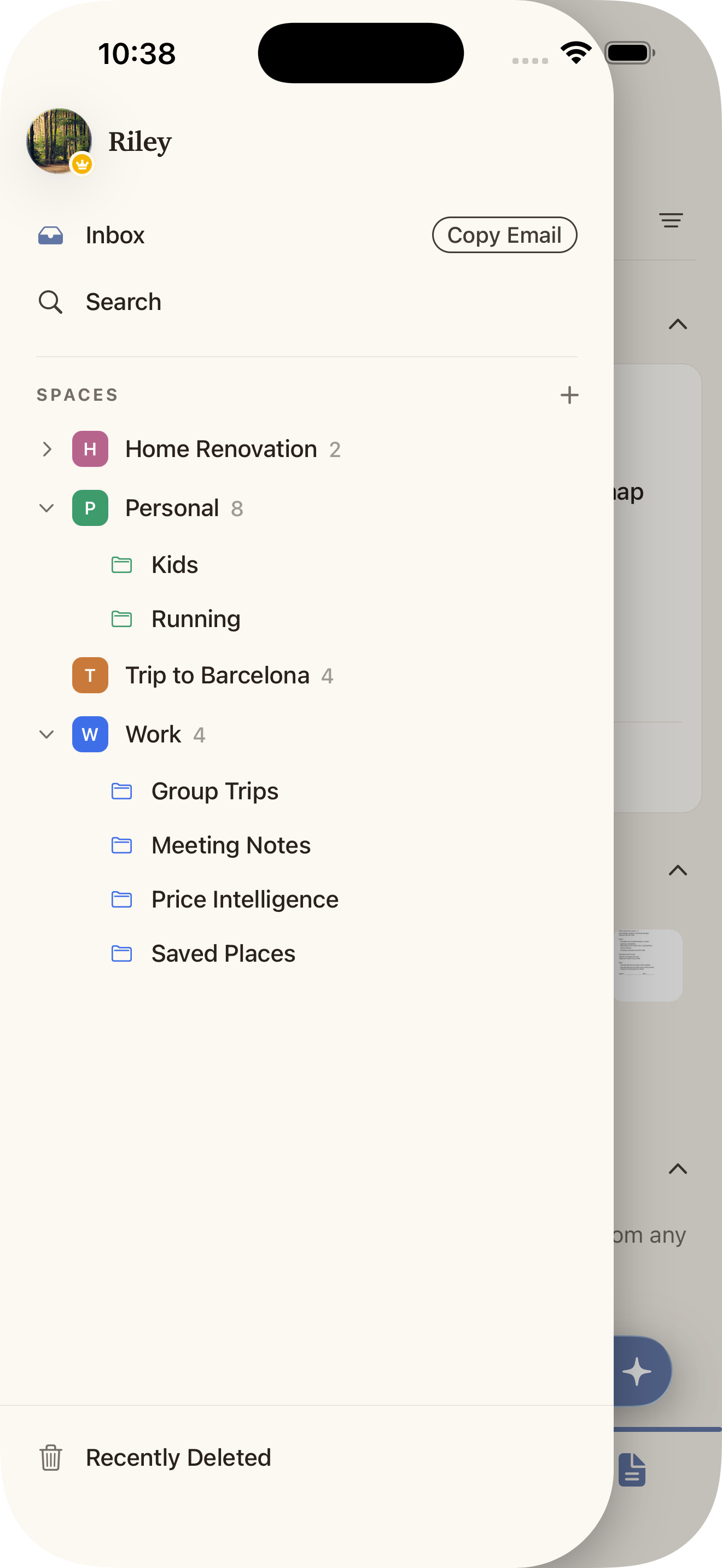
Switch hats.
Not apps.
Tasks and notes side by side. Share a Space with anyone wearing the same hat.
Share anything, from anywhere
Safari, Messages, Photos, Files — share into Claira via the iOS share sheet.
Voice to structured task
Tap the mic on a task title; Claira transcribes and fills in the date and details.
Your content never trains AI models.
One plan. Every feature.
Claira Pro
$4.99/mo · $39.99/yrQuestions, answered plainly.
How much does Claira cost?
Claira comes with a 14-day free trial — the full app, every feature, no separate tiers. After the trial it's $4.99/month or $39.99/year to keep going.
Can I share with my partner or team?
Yes. Create a shared Space and invite anyone — you'll both add and edit tasks and notes in real time.
Does Claira work offline?
Yes. Claira stores your data locally on your iPhone and syncs to our servers when you're online. You can read, write, and edit anything without a signal.
Is there an Android app?
Not yet. Claira is iPhone-only at launch. If Android is important to you, let us know at hello@sortedchaos.ai.
Does AI read my notes?
Claira's AI analyzes your saved notes and the emails you forward in to suggest folders and surface tasks and events. Voice dictation, summarization, and convert-text-block-to-task only run when you explicitly tap them. Your content never trains AI models.
Get Claira.
Free to start.